

01
New patient intake
History, medications and insurance collected before the first visit.



Paper and PDF intake forms are retyped by front desk staff, and outcome questionnaires rarely reach the chart in a usable form. Agnotic Technologies builds patient questionnaire and intake software on HL7 FHIR Questionnaire, launched from the EHR with SMART on FHIR, with answers written back where clinicians use them.
Trusted by global innovators











A patient questionnaire form is a structured set of questions a patient answers before or between visits, such as an intake history, a screening tool or a patient-reported outcome measure. Agnotic Technologies builds digital questionnaire and intake software on FHIR Questionnaire, with accessible forms, scoring and answers written back to the EHR.
Moving a form from paper to a screen does not remove the work if the answers have nowhere structured to go.
The form is a PDF or a web form with no data model, so answers arrive as a document attached to the chart.
Patients re-enter allergies, medications and insurance details the EHR already holds.
Screening scores are calculated by hand, or by logic nobody checked against the instrument.
The form breaks on a phone or with a screen reader, so some patients cannot finish it.
Answers land in an EHR field clinicians never open.
A licensed instrument is copied into the form without checking its licence terms.
Three questions answered on the scoping call decide most of the design.
FHIR write-back where the EHR supports it, or the EHR's own documentation interface where it does not. We check this first, because it decides the design.
Standard screening tools and outcome measures have owners and licence terms. We confirm them before an instrument goes into a form.
A positive screen needs a named person and a response time, agreed with clinical leads before go-live.
The parts of a questionnaire and intake system, built for your forms and your EHR.
Clinicians and admins edit questions, branching and scoring without a developer, with every version kept.
Demographics, medications, allergies and insurance filled from the EHR, so patients only confirm them.
Mobile-first forms built to WCAG 2.2, with screen reader support, large touch targets and plain language.
Scores calculated from the questionnaire's rules, and positive screens routed to the right staff member.
Answers stored as QuestionnaireResponse and mapped to the EHR fields clinicians actually use.
Forms sent by text, email, portal or clinic tablet, with reminders until they are complete.
Five steps from form definition to a usable record. Each step has a failure we design for.
Questions, answer options, branching and scoring rules are defined once as a FHIR Questionnaire and versioned, so older responses stay readable.
Known answers such as demographics and medications are filled from the EHR, and the form is sent by text, email, portal or a clinic tablet.
An accessible, mobile-first form saves progress, so a patient can stop and come back without losing answers.
The completed QuestionnaireResponse is scored and checked, and staff are alerted when a screening result needs attention.
Answers are filed as a QuestionnaireResponse, extracted into resources such as Observation or AllergyIntolerance where the EHR accepts them, or filed through the EHR's own interface.
Chosen to match your EHR's write path and your patients' devices.
Each form type has a different trigger, FHIR handling and destination in the chart.
| Form type | Purpose | When it is sent | FHIR handling | Where answers land |
|---|---|---|---|---|
| Intake and history | Demographics, history, medications, allergies | Before the first visit | Pre-populated Questionnaire, answers extracted to resources | Registration and chart review |
| Consent and policies | Consent and acknowledgements | Before the visit | QuestionnaireResponse with signature, stored as a document | Consent record |
| Screening tools | Mood, fall risk or social needs | At check-in or before the visit | QuestionnaireResponse with a calculated score | Flowsheet or Observation, alert if positive |
| Patient-reported outcome measures (PROMs) | Symptoms and function over time | At set intervals after treatment | Repeated responses to the same Questionnaire | Outcome trend in the chart or a registry |
| Pre-procedure checks | Fasting, medications, transport | Days before the procedure | Adaptive Questionnaire that branches on answers | Perioperative checklist |
Measures we report from the form platform and review with your clinic leads.
Share of sent forms completed before the patient arrives.
Pre-populated answers patients confirmed without changes.
Responses filed successfully, with every failure traced.
Positive screens reviewed by staff, and how long review took.
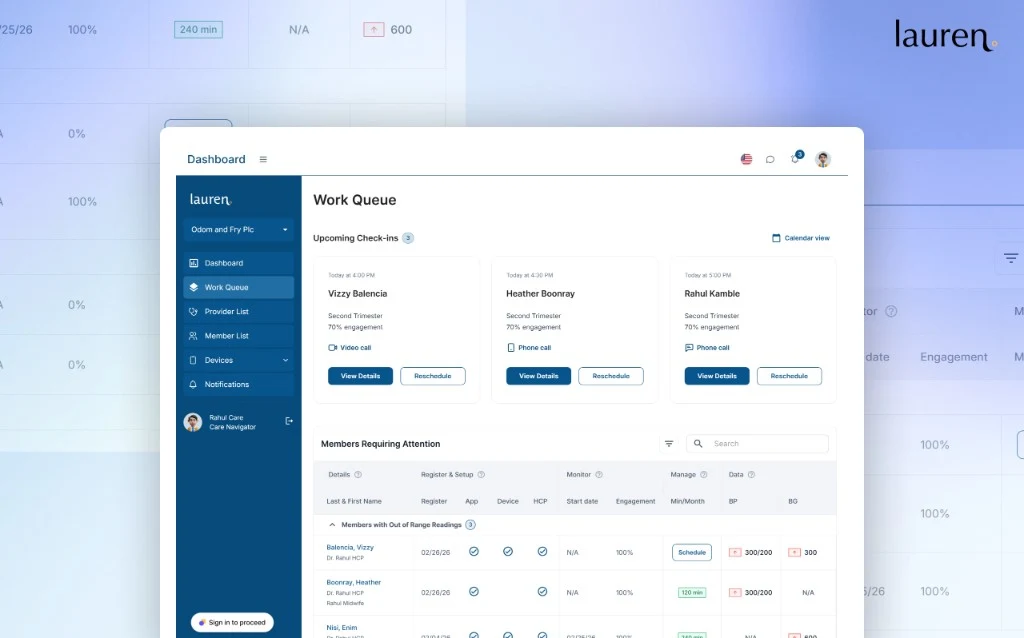
A HIPAA-ready maternal health platform enabling remote patient monitoring, care coordination, and personalized engagement from pre-pregnancy through postpartum.
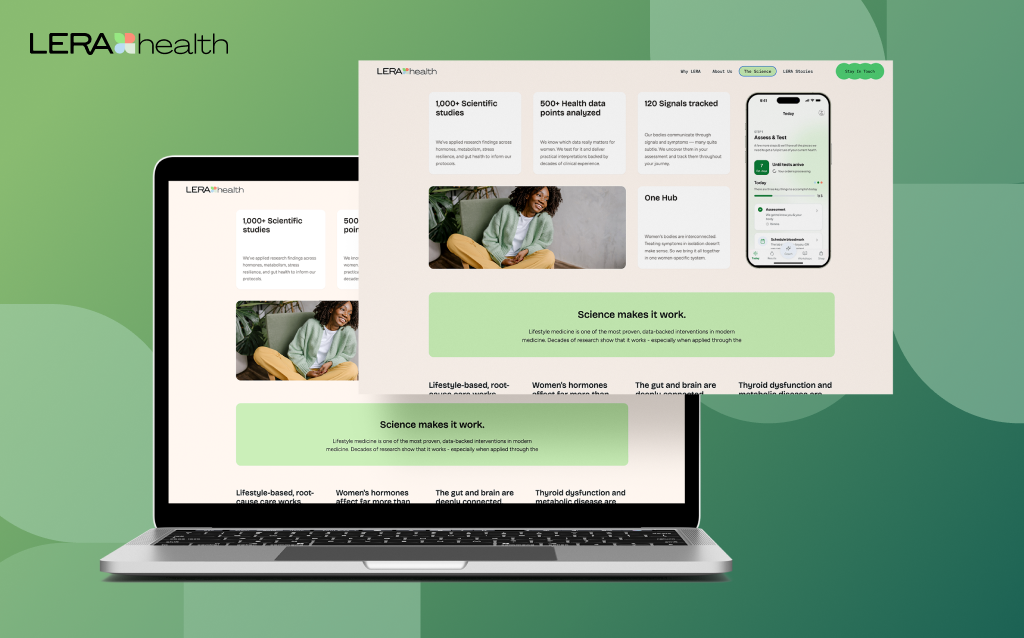
A women’s health product experience focused on guided care journeys, education, and compliance-aware workflows to support long-term engagement.
Common first releases, each one form type taken from send to EHR write-back.
History, medications and insurance collected before the first visit.
Screening tools scored automatically, with positive results routed to clinicians.
Outcome questionnaires sent at set intervals after a procedure.
Instructions confirmed and red flags caught days before a procedure.
Short recurring questionnaires between visits for long-term conditions.
Questionnaires inside an app that must file answers into a partner hospital's EHR.
The systems that trigger forms, deliver them and receive the answers.
We build secure, scalable products designed for privacy, interoperability, and regulatory readiness from day one across every sector we serve.

Protect PHI with privacy-first architecture, encrypted storage and transmission, and strict access controls.

Enabling standardized health data exchange through standards-based API mappings.
We combine deep technical expertise with industry-specific knowledge to deliver solutions that aren't just functional, but transformational.
We implement rigorous security protocols and compliance standards (HIPAA, GDPR, SOC2) across all industrial solutions to protect sensitive data.
Our architectures are built to handle massive data loads and user bases, keeping performance steady whether you're serving ten or ten million.
Using our suite of internal tools and proven frameworks, we reduce development cycles and get your product to market 40% faster.
Beyond simple wrappers, we build deep-learning integrations and predictive analytics directly into the core of your industry-specific workflows.
How to build a patient questionnaire form that clinicians use: one form type first, then the rest. Timing depends on scope; we agree a fixed first release on the scoping call.
We agree the first form type, the EHR and the people who act on the answers.
Current forms, instruments, licences and the EHR's write path reviewed with your team.
One form type, such as new patient intake, live from send to EHR write-back.
Screening tools, PROMs and pre-procedure checks added on the same platform.
Form changes, instrument updates and EHR upgrades handled under agreed change control.
Short facts we design around, each linked to its primary source.
In HL7 FHIR R4, a Questionnaire is an organized collection of questions that defines the questions, their order and grouping, any instructional text and the constraints on allowed answers.
Source: HL7 FHIR R4, QuestionnaireA FHIR R4 QuestionnaireResponse holds a complete or partial set of answers to a questionnaire, and a distinct response is created each time it is completed for a different subject or at a different time.
Source: HL7 FHIR R4, QuestionnaireResponseThe HL7 Structured Data Capture (SDC) implementation guide describes how forms can pre-populate answers already known to the EHR, choose the next question from earlier answers, and extract answers into other FHIR resources.
Source: HL7 FHIR Structured Data Capture (SDC) IG, STU 4The SMART App Launch implementation guide uses OAuth 2.0 and OpenID Connect so that apps can launch from an EHR with the user's and patient's context and only the access scopes they were granted.
Source: HL7 International (SMART App Launch)WCAG 2.2 is the W3C Recommendation commonly used as the technical benchmark for accessible web and mobile interfaces.
Source: W3CWe don't just build products; we forge lasting partnerships. See how we've helped industry leaders transform their vision into technical reality.
“I can clearly see how Agnotic has a unique way of handling end-to-end development. They are always active on quick chat and provide support quickly.”

Aaron Phelan
Founder, Benchmark
“Agnotic combines deep technical expertise with strong domain knowledge. They understand the business context, anticipate challenges, and make collaboration smooth and effective.”

John Pasmore
Founder, Latimer
“Agnotic is the best technical team we evaluated. Their engineering excellence made our work dramatically easier and allowed us to stay focused on what matters most for maternal care outcomes. They took full ownership of the technical execution, and we are always happy to continue working together.”

Kim Smith
Founder, My Lauren
Questionnaires sit next to triage, FHIR apps and patient portals.
Conversational intake and triage that routes patients to the right care level.
SMART on FHIR apps and FHIR APIs that launch inside the EHR.
Portals where patients receive forms, results and messages.
HL7 v2 and FHIR interfaces that file questionnaire answers into the EHR.
Explore other production-grade engineering platforms we deliver across healthcare.
The technical patterns behind this platform translate naturally into adjacent verticals.