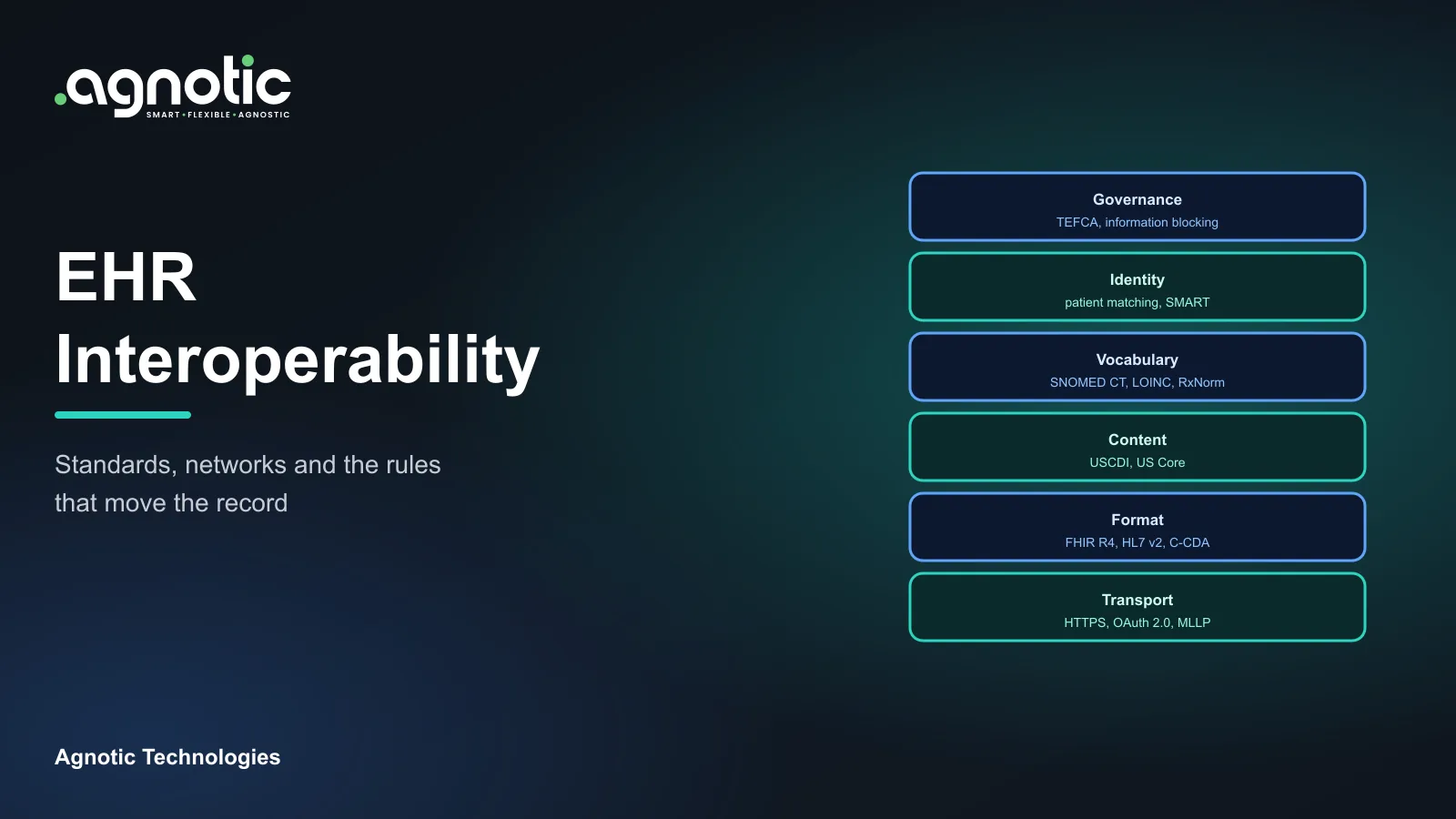
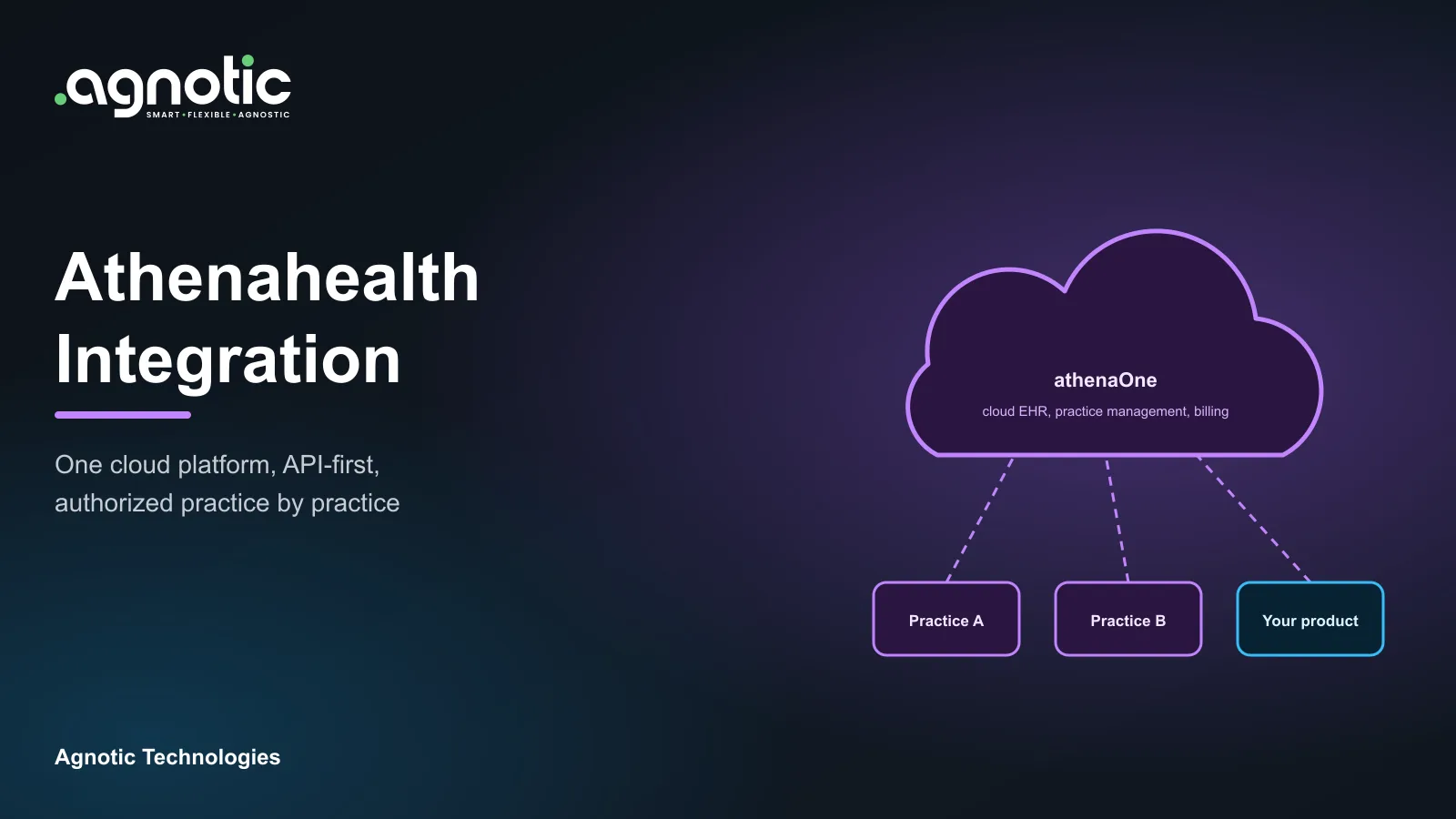
FHIR integration is connecting your software to an EHR or other health system through HL7 FHIR APIs, so it can read and write standard resources such as Patient, Observation and MedicationRequest. Most US projects pair FHIR R4 and US Core with SMART on FHIR for authorization, then add mapping, error handling and testing against each EHR vendor.
This FHIR integration guide explains the main architecture patterns, why the rules make FHIR more important each year, a step by step approach with Epic as the example, the challenges teams hit, and what it means for your build plan.
What is FHIR integration?
Integrating with Epic over FHIR?
Our engineers build Epic and FHIR API integrations, from app registration to production go-live.
FHIR (Fast Healthcare Interoperability Resources) is a standard published by HL7 International for exchanging health data through REST APIs. Data is organized into resources, such as Patient, Encounter, Condition and Observation, that are sent as JSON or XML. FHIR R4 (version 4.0.1) remains the version used by US Core and ONC certification, even though FHIR R5 was published in March 2023.
In plain terms, what is FHIR integration? It is the work of getting your application and a FHIR server to exchange the right data safely: registering the app, getting authorization, calling the API, mapping the results into your data model, and handling errors, limits and differences between vendors.
FHIR integration architecture guide: the main patterns
- EHR launch app: A SMART on FHIR app opens inside the EHR with the current patient and user already in context. Common for clinician tools.
- Standalone patient app: A patient signs in to their provider's portal account from your app and approves access to their record.
- Backend service: A server connects without a user present, using SMART Backend Services, for jobs such as nightly data syncs.
- Bulk data export: The FHIR Bulk Data Access standard exports data for a group of patients as files, which suits analytics and population health.
- FHIR facade: A FHIR API placed in front of a legacy system that does not speak FHIR, so other apps can use one standard interface.
SMART on FHIR integration
SMART App Launch builds on OAuth 2.0 for authorization and uses OpenID Connect to identify the user. Apps request scopes, such as read access to a patient's observations, and receive an access token for their API calls. Since version 2.0, the specification requires all apps to use PKCE with the S256 method, which protects the authorization code exchange.
FHIR integration or HL7 v2 interfaces?
Many hospitals still run HL7 v2 interfaces for admissions, orders and results, usually through an interface engine. HL7 v2 is event driven: the EHR pushes a message when something happens. FHIR is request driven: your app asks for the data it needs, when it needs it. Most real projects use both, with FHIR for app access and on demand queries and HL7 v2 feeds where the hospital already sends events that way.
Resources most first integrations use
- Patient: Demographics and identifiers used to match records.
- Encounter: Visits and admissions that give other data its context.
- Condition: Problems and diagnoses.
- Observation: Lab results, vital signs and other measurements.
- MedicationRequest: Prescriptions and medication orders.
- AllergyIntolerance: Allergies and intolerances.
- DocumentReference: Clinical notes and other documents.
Why does FHIR integration matter now?
- Certified EHR APIs: Under the ASTP/ONC HTI-1 rule, from January 1, 2026 certified FHIR APIs under 45 CFR 170.315(g)(10) must support USCDI v3, US Core 6.1.0 and SMART App Launch 2.0, alongside the Bulk Data Access standard for population level access.
- Payer APIs: The CMS Interoperability and Prior Authorization Final Rule (CMS-0057-F) requires impacted payers to stand up Provider Access, Payer-to-Payer and Prior Authorization APIs and to enhance the Patient Access API, generally by January 1, 2027.
- Information blocking: The HHS information blocking rules that implement the 21st Century Cures Act (45 CFR Part 171) limit practices that interfere with access, exchange or use of electronic health information.
- National exchange: TEFCA went live in December 2023, and FHIR based exchange between its Qualified Health Information Networks is being phased in.
Together these rules mean that more EHRs and payers expose FHIR APIs every year. The question for most teams is no longer whether an API exists, but how well it covers the data they need and what it takes to go live at each site.
How do teams approach FHIR integration step by step?
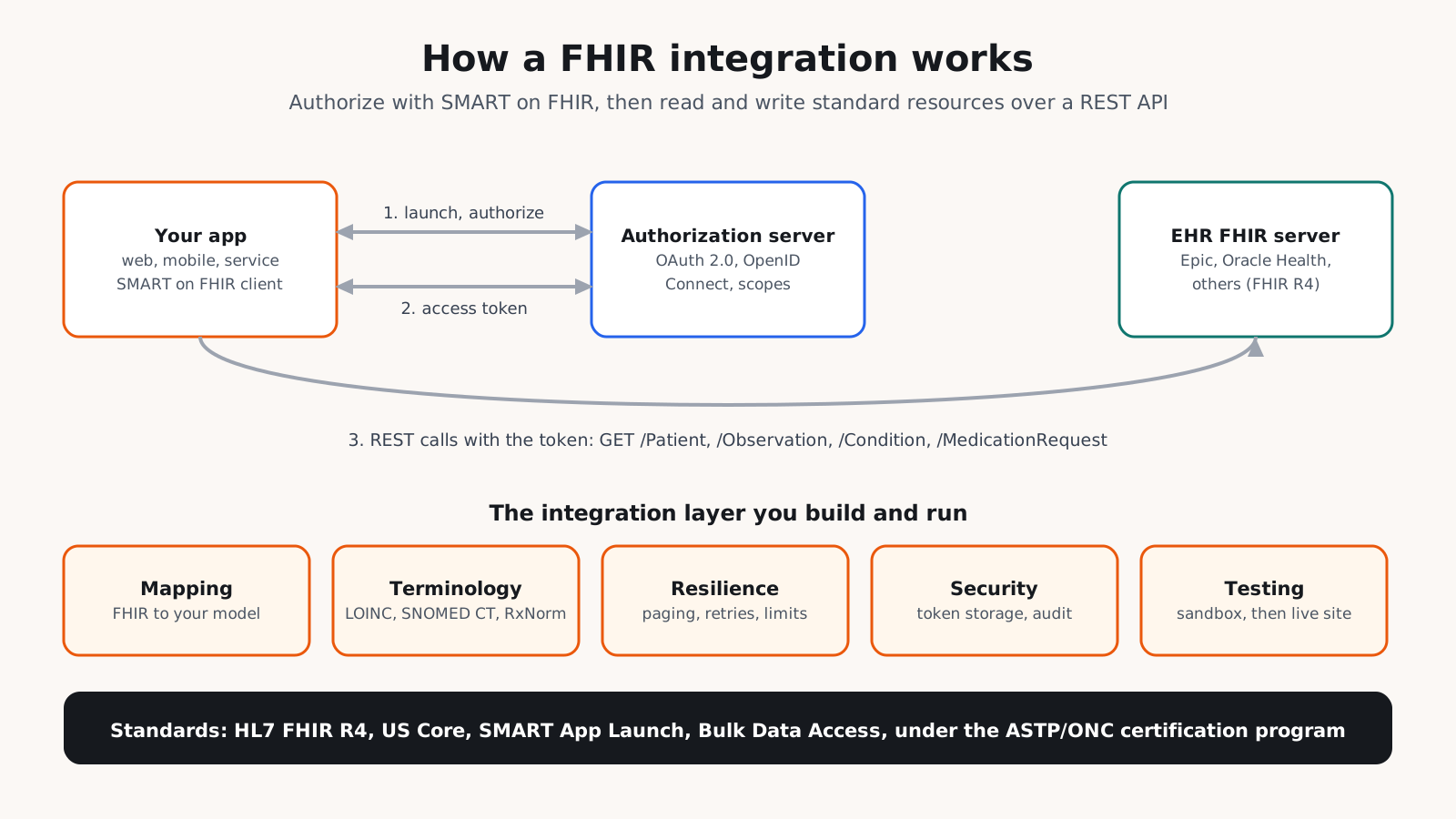
- 1. Define the use case and data: List the users, the resources you need, and whether you only read data or also write it back.
- 2. Pick the pattern: Choose an EHR launch, standalone launch, backend service or bulk export based on who uses the app and when.
- 3. Check what each EHR supports: Read the server's CapabilityStatement and the vendor's documentation, because supported resources, search parameters and write operations vary.
- 4. Register the app: Get a client ID, configure redirect URIs and request the narrowest scopes that work.
- 5. Build the integration layer: Map FHIR resources to your data model, handle terminology such as LOINC, SNOMED CT and RxNorm, and manage paging, rate limits, retries and caching.
- 6. Secure it: Store tokens safely, log access, sign Business Associate Agreements where PHI is involved, and apply HIPAA safeguards.
- 7. Test properly: Start in the vendor sandbox, check conformance with US Core and SMART using test tools such as ONC's Inferno, then test with real data at a pilot site.
- 8. Go live site by site: Each health system has its own approval and configuration steps. Monitor errors and data quality after launch.
Epic FHIR integration guide: what to expect
Epic publishes its FHIR API documentation and a sandbox at fhir.epic.com and open.epic.com, and developers register their apps there to get a client ID. Epic Showroom lists third-party apps, and the paid Vendor Services program supports vendors that need deeper integration. Even with registration done, each Epic customer decides whether to activate your app and which data to allow, so plan for a review at every health system you sell to.
Writing data back to the EHR
Reading data is the common case. Writing back, such as filing a note, an observation or an order, needs more care: confirm which write operations the EHR supports for your app, validate data against the profile before sending, decide how a person reviews what the app files, and agree with each health system on where the data appears in the chart.
What are the common FHIR integration challenges and mistakes?
- Assuming plug and play: Two EHRs can both support FHIR R4 and US Core yet differ in the resources, searches and extensions they support.
- Asking for broad scopes: Requesting more access than needed slows approval and adds risk.
- Ignoring paging and limits: Large records arrive in pages, and APIs throttle heavy use. Code that ignores this fails in production.
- Mapping without terminology: Matching codes as plain text leads to wrong results. Use proper code systems and value sets.
- Expecting writes everywhere: Many EHRs support fewer write operations than reads. Confirm write support before you design a workflow around it.
- Testing only in the sandbox: Sandbox data is cleaner than real records. Test with real data at a pilot site before scaling.
- No monitoring: Token expiry, vendor upgrades and configuration changes break integrations quietly without alerts.
What are FHIR integration best practices?
- Design to US Core: Build against the US Core profiles so the same code works across certified EHRs.
- Keep an integration layer: Do not let FHIR calls spread through your application. Put them behind one service you can test and update.
- Store less: Fetch data when needed and keep only what your product requires.
- Log every call: Record who accessed which data and when, without writing PHI into general logs.
- Version your mappings: Track mapping changes so you can explain how any value reached your system.
- Plan for each site: Keep site specific settings in configuration, not in code.
- Accessible screens: If the integration includes patient or clinician screens, design them to WCAG 2.2.
What does FHIR integration mean for your build plan?
Cost and timeline depend on these drivers:
- Number of EHRs: Each vendor adds registration, testing and differences to handle.
- Read or write: Writing data back to the EHR adds validation, testing and approval work.
- Launch types: Supporting EHR launch, standalone launch and backend services is more work than one.
- Data scope: The number of resources, code systems and mappings.
- Site rollout: The approval and configuration steps at each health system.
- Compliance: BAAs, audit logging and security reviews from customers.
- Operations: Monitoring, token management and updates as vendors upgrade their APIs.
A practical plan starts with one EHR, one launch type and read access to a small set of resources, proven at one pilot site. Add write operations, more EHRs and more sites once the integration layer is stable, because each addition reuses the same mapping, security and monitoring code.
How Agnotic can help
Agnotic Technologies is a software development services company. We build FHIR integrations for digital health companies and hospital teams: SMART on FHIR apps, backend services, bulk data pipelines and FHIR facades, with Epic, Oracle Health and other EHRs. We handle app registration, mapping, testing and go-live, and you own the code.
Build your FHIR integration with Agnotic
Explore our Epic integration service or browse more articles in our FHIR development hub.
Related reading on Agnotic
Go deeper on the standards, EHRs and authorization flows covered in this guide.
Sources
- HL7 FHIR Release 4 (4.0.1)
- HL7 SMART App Launch implementation guide
- HL7 FHIR Bulk Data Access implementation guide
- ASTP/ONC: HTI-1 final rule
- ASTP/ONC: Standardized API for patient and population services, 170.315(g)(10)
- CMS Interoperability and Prior Authorization Final Rule (CMS-0057-F)
- 45 CFR Part 171: Information blocking
- Epic on FHIR: documentation and sandbox