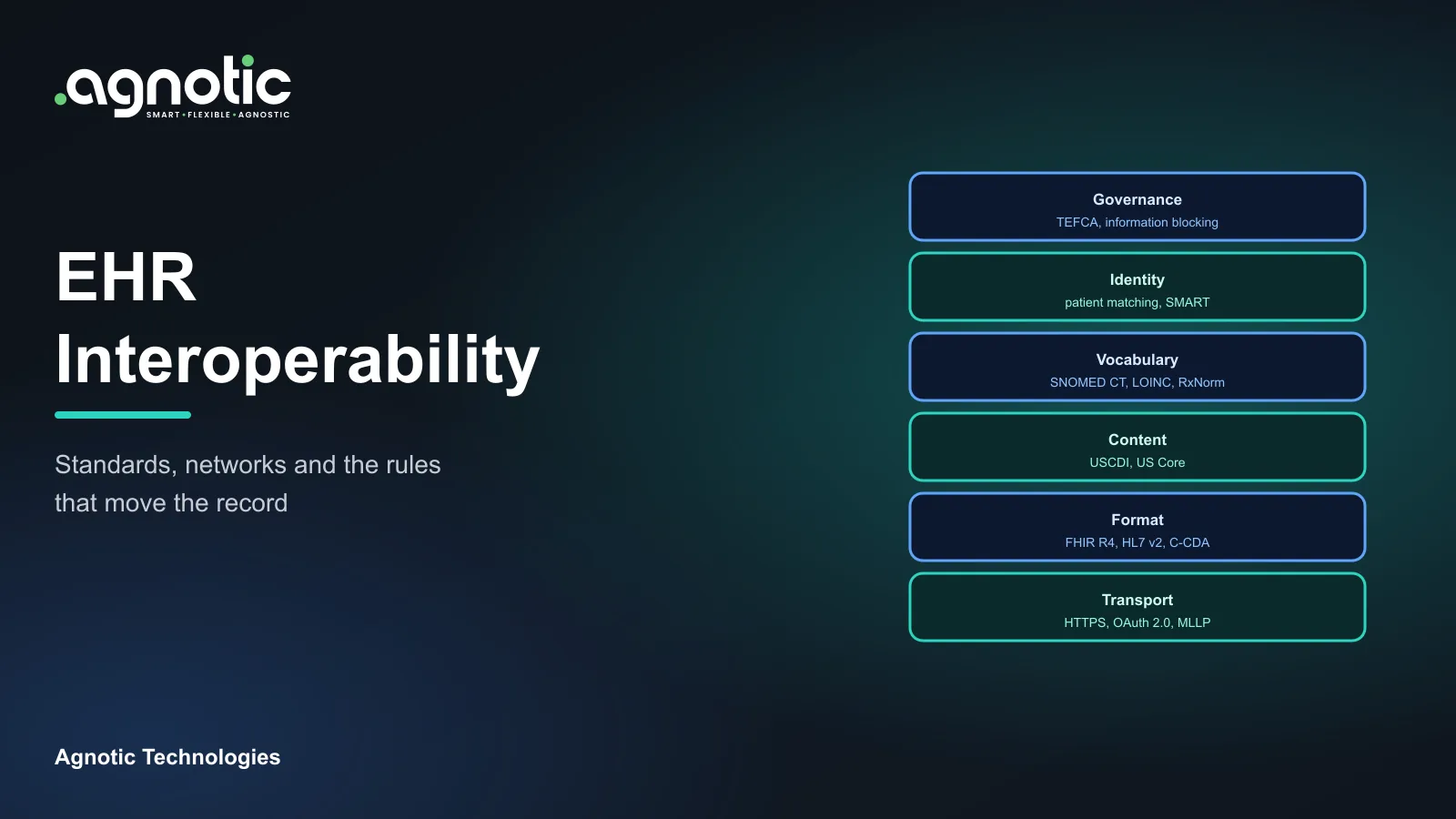
EHR integration challenges are the technical, contractual and organizational problems that make connecting software to electronic health records slow or unreliable. The most common are differences in how each EHR implements standards, patient matching, vendor and site approvals, legacy HL7 v2 interfaces, security requirements and keeping integrations working as systems change.
This EHR integration challenges guide explains each problem, why the rules are changing the picture, what helps, best practices and what it all means for your build plan.
What are EHR integration challenges?
Stuck on an EHR integration?
Our engineers build and fix EHR integrations with Epic, Oracle Health, athenahealth and others.
In plain terms, what are EHR integration challenges? They are the reasons a connection that looks simple in a demo takes months in production. The standards exist, but each EHR implements them a little differently, each health system configures its EHR differently, and every connection that carries PHI needs security reviews and contracts before it goes live.
Benefits and challenges of the EHR
Integration is how organizations keep the benefits of the EHR while reducing its costs: getting data in and out so that other tools can do work the EHR does poorly.
- Benefits: Legible records, shared access to a patient's history, decision support, e-prescribing and patient portals.
- Challenges: Documentation burden, usability complaints, alert fatigue and data trapped in one vendor's system.
- Where integration helps: Apps for specialty workflows, analytics on combined data, and patient tools that the EHR does not offer.
Why do EHR integration challenges matter now?
- Standard APIs: Under the ASTP/ONC HTI-1 rule, from January 1, 2026 certified FHIR APIs under the ONC Health IT Certification Program must support USCDI v3, US Core 6.1.0 and SMART App Launch 2.0. More data is reachable, but implementations still vary.
- Information blocking: The 21st Century Cures Act information blocking rules (45 CFR Part 171) restrict practices that interfere with access, exchange or use of electronic health information, which changes how vendors and providers can respond to access requests.
- Payer APIs: The CMS Interoperability and Prior Authorization Final Rule requires many payers to offer FHIR APIs, generally by January 1, 2027, adding new systems to connect to.
- National exchange: TEFCA has been live since December 2023, with FHIR based exchange between its Qualified Health Information Networks being phased in.
- Regulatory change: The HTI-5 proposed rule of December 2025 would remove many certification criteria. It was not final as of October 2026, so integrations should not depend on features that might change.
What are the most common EHR integration challenges?
1. Different data in each EHR
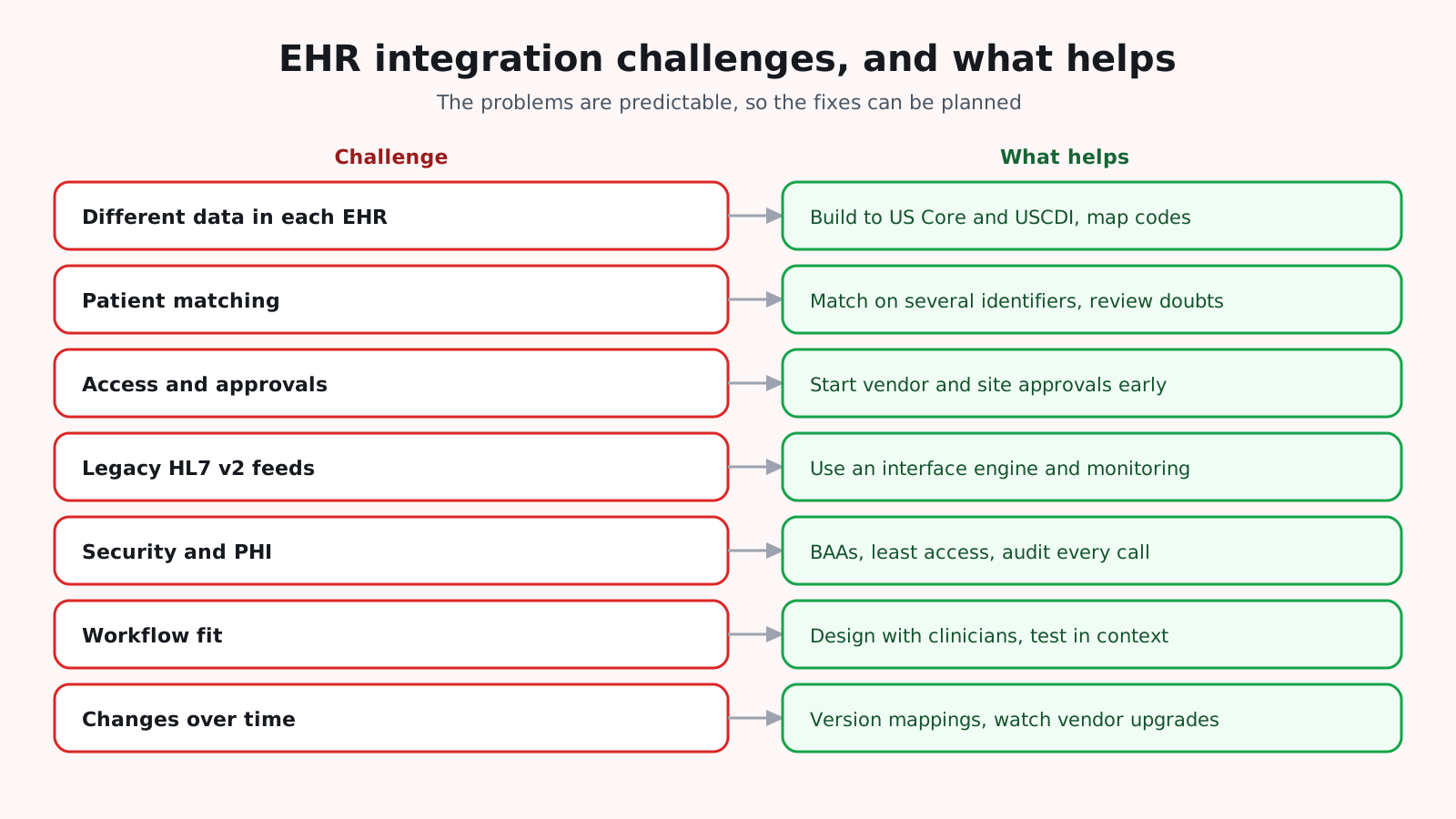
Two EHRs can both support FHIR R4 and US Core and still differ in the resources, search parameters, extensions and codes they return. These EHR interoperability challenges show up as missing fields, unexpected codes and different handling of the same clinical fact. Build to US Core and USCDI, map codes through a terminology service, and test with real data from each EHR.
2. Patient matching
Records about the same person often carry different spellings, addresses and identifiers. ONC's Project US@ created a standard way to format patient addresses because inconsistent address data makes matching harder. Match on several identifiers, normalize addresses and names, and send uncertain matches to a person for review.
3. Access and approvals
Registering with an EHR vendor is only the first step. Each health system decides whether to activate an app, which data to allow and which security review to run. Start vendor registration and customer approvals early, and keep the requested scopes as narrow as the use case allows.
4. Legacy HL7 v2 interfaces
Many hospitals still send admissions, orders and results as HL7 v2 messages, a standard published by HL7 International, with local variations in segments and codes. Use an interface engine, document each feed's specification, and monitor message volumes and errors so a silent failure is caught quickly.
5. Security and PHI
Every integration that carries PHI needs a Business Associate Agreement where applicable, least privilege access, encrypted transport and audit logging under the HIPAA Security Rule, which HHS enforces. Security questionnaires from health systems can take as long as the build, so prepare documentation in advance.
6. Workflow fit
An integration that moves data correctly can still fail if the data appears in the wrong place or at the wrong time for clinicians. Design with the people who will use the data, and test in the context of real workflows, not only with API calls.
7. Changes over time
EHR upgrades, configuration changes, new certification versions and expiring tokens all break integrations. Version your mappings, subscribe to vendor release notes, run regression tests after upgrades and alert on error rates.
8. Vendor fees and contracts
Some EHR vendors charge for certain API use, interface builds or app programs, and health systems may pass these costs on. Read the contract terms for APIs, interfaces and data access early, and include them in the project budget before committing to a design.
9. Limited test environments
Vendor sandboxes contain clean sample data, and hospital test environments are often shared, refreshed rarely or configured differently from production. Ask early for test accounts, realistic test patients and a schedule for testing at each site, and plan a short validation period with real data after go-live.
10. Writing back and duplicate data
Writing data into the EHR is harder than reading it. Many EHRs support fewer write operations, and data written by an app can duplicate what clinicians enter by hand. Agree with each health system where written data appears, who reviews it, and how duplicates are prevented before you build the write path.
How do teams approach an EHR integration step by step?
- 1. Define the use case: The users, the data, and whether you read, write or both.
- 2. Check each EHR's support: Read its FHIR CapabilityStatement and interface specifications.
- 3. Plan approvals: Vendor registration, customer activation, security reviews and BAAs.
- 4. Build an integration layer: Mapping, terminology, retries, rate limits and audit logging in one place.
- 5. Test with real data: Sandbox first, then a pilot site with real records.
- 6. Go live and monitor: Alerts on errors and data quality, with an owner for each interface.
How do you measure integration health?
- Success rate: The share of API calls and messages processed without errors.
- Latency: How long data takes to reach the receiving system.
- Volume: Message and call counts compared with normal patterns, to catch silent failures.
- Data quality: Missing fields, unmapped codes and unmatched patients.
- Time to fix: How long it takes to resolve an integration incident.
What are common mistakes when tackling EHR integration challenges?
- Assuming one EHR integration covers all: Each vendor and each site needs its own testing.
- Building point to point connections: Many direct links become hard to maintain. Use an integration layer.
- Skipping clinicians: Data lands where nobody looks for it.
- No owner after go-live: Interfaces fail quietly without someone responsible for them.
- Ignoring contracts: API fees and data access terms discovered after the design is fixed.
Who should own EHR integrations?
Integrations need an owner after go-live, not only during the project. On the provider side, that is usually an integration or interface team that monitors feeds and handles vendor upgrades. On the vendor side, it is the team that owns the integration layer. Agree on support contacts, escalation paths and change notice periods in writing, so an upgrade on one side does not silently break the other.
What are EHR integration challenges best practices?
- Standards first: HL7 FHIR, US Core and USCDI for APIs, HL7 v2 where hospitals still use it.
- One integration layer: Keep EHR specific logic out of the main application.
- Least access: Request only the data each feature needs.
- Observability: Log, measure and alert on every interface.
- Configuration per site: Keep health system differences in settings, not code.
- Plan for change: Expect upgrades and rule changes, and test for them.
- Document every interface: Keep a current specification, owner and contact for each connection.
What do EHR integration challenges mean for your build plan?
- Number of EHRs and sites: Each adds testing, approvals and configuration.
- Read or write: Writing back adds validation, review and approval work.
- Interface types: FHIR, HL7 v2, documents and vendor APIs each need their own handling.
- Data quality: Mapping, terminology and patient matching effort.
- Security: BAAs, security reviews and audit logging.
- Operations: Monitoring, support and upgrades after go-live.
Budget time for approvals and testing as carefully as for coding. In most projects they decide the go-live date.
How Agnotic can help
Agnotic Technologies is a software development services company. We build and repair EHR integrations: FHIR and SMART on FHIR apps, HL7 v2 interfaces, mapping and terminology services, patient matching, monitoring and HIPAA safeguards, with Epic, Oracle Health and other EHRs. You own the code.
Solve your EHR integration challenges with Agnotic
Explore our EHR integration services or browse more articles in our EHR integration hub.
Related reading on Agnotic
Go deeper on the standards and integration patterns covered in this guide.
Sources
- ASTP/ONC: Standardized API for patient and population services, 170.315(g)(10)
- ASTP/ONC: United States Core Data for Interoperability (USCDI)
- 45 CFR Part 171: Information blocking
- CMS Interoperability and Prior Authorization Final Rule (CMS-0057-F)
- ASTP/ONC: The history and growth of TEFCA
- ASTP/ONC: Project US@ address standard
- ASTP/ONC HTI-5 Proposed Rule
- 45 CFR Part 164, Subpart C: HIPAA Security Rule