

Challenge
Readings are written on paper and retyped hours later.
Agnotic approach
Readings are entered once on the device, with the time and the surveyor recorded.


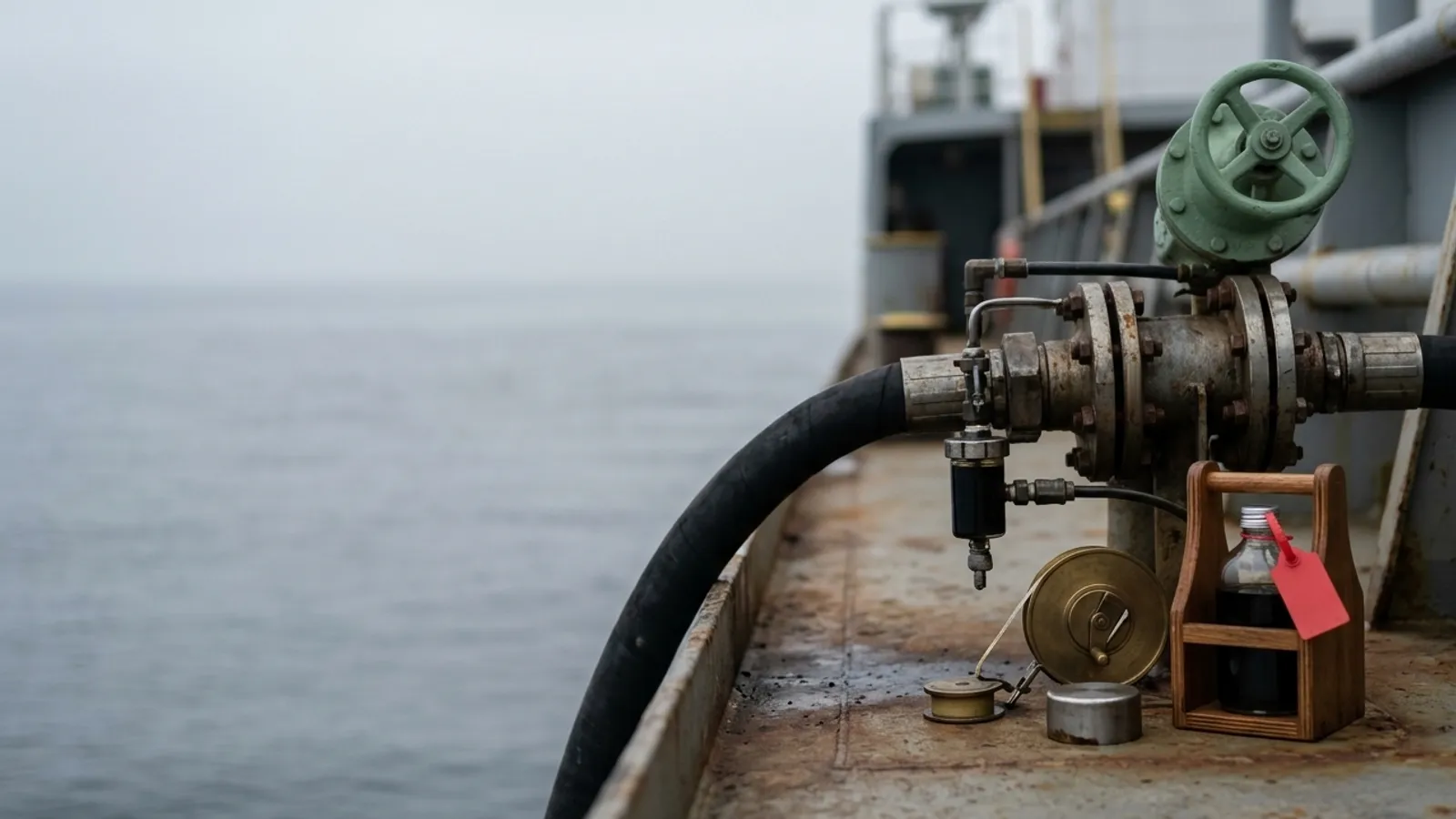
For inspection companies whose surveyors measure bunker and cargo quantities on board. Agnotic Technologies builds bunker survey software around your own procedure: readings captured offline, corrections from the tables you are licensed to use, and one signed report with a QR code to the full evidence.
Trusted by global innovators






From soundings to signed report
Bunker survey software records a bunker quantity survey from the opening soundings to the signed report, so each reading is captured once and every calculation follows your company's own procedure. Agnotic Technologies builds it as custom software for inspection companies: tank tables and correction factors come from the tables you are licensed to use, every figure links back to the reading behind it, and the client receives one report with a QR code to the full evidence.
Paper logs and spreadsheets hold the same data today, but they are retyped, checked by hand and hard to defend months later in a dispute. The software keeps one record per job that the surveyor, the office reviewer and the client all work from.
The app follows your bunker quantity survey procedure stage by stage: opening gauges, delivery, closing gauges and calculation, and it does not move on until the required readings for a stage are in. Each reading carries the tank, the time and the surveyor who took it.
The software applies the correction tables your company is licensed to use, configured into the calculation engine; Agnotic Technologies does not supply ASTM or API tables. The observed temperature and the density at 15 °C, from the delivery note or the laboratory, give the volume correction factor and then the quantity in metric tons.
Every step of the calculation is shown on the job: the gauge reading, the tank table value, the trim and list correction, the correction factor and the result. A reviewer checks the figure without redoing it in a spreadsheet, and the engine is tested against worked examples from your past jobs before it goes live.
Which table edition applies, and whether weight is reported in air or in vacuum, follows your procedure and the client's instructions.
Yes. Bunker and cargo jobs can run for many hours, often in engine rooms, pump rooms and on barges with no signal, so the app keeps the job, the tank tables and every reading on the device and syncs when a connection returns.
Readings are saved as they are entered, so a flat battery or a shift handover does not lose the opening survey. A second surveyor can take over the job, and the record shows who took each reading. The sync works like our offline inspection app development: each record is uploaded once and confirmed by the server.
The software compares the surveyed quantity with the bunker delivery note figure as soon as the closing calculation is done, while the barge is still alongside. If the difference is outside the tolerance in your procedure, it drafts a letter of protest for the surveyor to review, edit and hand over for signature.
The draft quotes both figures, the readings behind the surveyed figure and the time of each stage, so the dispute starts from evidence. Refused signatures, notes of disagreement and photos of seals stay on the job, and nothing is sent without the surveyor's approval.
Yes. The surveyor signs one report, and the PDF carries a QR code that opens a secure view of the whole job: every reading, photo, sample seal number and calculation step. The view sits behind the client's login or an expiring link, never on a public page.
The report stays short enough to read on board while the evidence is one scan away. If a report is reissued, the old code shows that a newer version exists. Survey teams that also report on vessel condition and cranes use the same idea in vessel inspection report automation.
Yes. Cargo inspection uses the same building blocks as a bunker survey: tank readings, temperatures, samples, calculations and a signed report, so cargo inspection software is another job type in the same system, not a second system.
Each job type has its own stages, forms and report template. Shore tank figures, ship's figures and bill of lading quantities can be compared the way a bunker job compares the delivery note. Other measurement methods are added only if your company performs them.
The attending surveyor signs, and where your procedure asks for it, the chief engineer or barge master countersigns the figures on the device. The software prepares and checks the report; it never issues one on its own.
Any AI help, such as a drafted summary of remarks, stays a draft until the surveyor accepts it. The report records who signed, who reviewed it in the office and when.
Architecture
The components we build, what each one does and the technology we typically use. The exact stack follows your systems and hosting rules.
| Component | Purpose | Typical tech |
|---|---|---|
| Survey app | Captures readings, photos, samples and signatures on board, with or without signal | Android or iOS app with a local database and background sync |
| Procedure configuration | Holds your stages, required fields and tolerances per job type, with versions | Rules stored as data, set up with your senior surveyors |
| Calculation engine | Turns readings into volumes and metric tons using your tank tables and licensed correction tables | Calculation service on the server and the device, tested against your worked examples |
| Discrepancy and protest | Compares surveyed and delivery note figures and drafts a letter of protest | Tolerance rules, document templates and a review step |
| Report and evidence view | Produces the signed PDF and the secure page behind its QR code | PDF generation, signed links that expire, client login |
| Integration layer | Takes jobs in and sends finished jobs to billing and the client | REST APIs and connectors to your job booking and ERP systems |
Correction tables stay under your company's licence and are loaded by your team; the software does not ship with them.
Failure points
Problems we see when bunker and cargo surveys run on paper and spreadsheets, and what the software changes.
Challenge
Readings are written on paper and retyped hours later.
Agnotic approach
Readings are entered once on the device, with the time and the surveyor recorded.
Challenge
An old or wrong tank calibration table is used.
Agnotic approach
Tank tables are stored per vessel and tank, and each calculation shows the table version it used.
Challenge
A correction factor is read from the wrong table or column.
Agnotic approach
The engine uses the table configured for the product, and the reviewer sees the factor applied.
Challenge
A shortfall is found after the barge has left.
Agnotic approach
The delivery note comparison runs at closing, while the barge is still alongside.
Challenge
Seal numbers in the report do not match the sample labels.
Agnotic approach
Seal numbers are captured with a photo of each label and printed from that record.
Challenge
Photos stay on personal phones and never reach the file.
Agnotic approach
Photos are taken in the app and attached to the tank or reading they show.
Bunker survey software works best when jobs, tables and results flow from and to the systems that already own them.
Jobs arrive with vessel, port, product and client, and surveyors are assigned.
Calibration tables per vessel and barge, reused on the next attendance.
Density and other sample results added to the job when the laboratory reports them.
Secure access to each signed report's readings, photos and calculation steps.
Finished jobs sent to billing with attendance times and job details.
An AI model drafts report remarks from the surveyor's notes; the surveyor edits and approves them.
Who it is for
Teams that measure fuel and cargo quantities and have to defend the figures later.
Bunker quantity surveyors attending deliveries and cargo transfers for owners, charterers and traders.
Survey teams adding bunker and cargo work to condition and on-hire or off-hire surveys.
Quantity and quality teams checking deliveries from their own barges.
Technical teams who appoint surveyors and need the evidence behind each figure.
Rollout
Five steps from the scoping call to surveyors using the app on live jobs.
We go through your survey procedures, report templates, job types and the systems jobs come from.
Your senior surveyors walk us through a real job; stages, fields and tolerances become the configuration.
Your licensed correction tables and vessel tank tables are loaded, and the engine is tested against your past jobs.
Surveyors run real bunker surveys in the app, with your current method kept as a cross-check.
Cargo inspection, more ports and the client evidence view follow once the figures are trusted.
The size of a bunker survey software build follows the number of job types, how many correction methods need configuring, how vessel tank tables reach the system, the report templates you issue and the systems it connects to, such as job booking and invoicing. We do not publish prices; the first release is scoped on the scoping call.
Most inspection companies start with one job type, usually the bunker quantity survey, and add cargo inspection and more ports once surveyors trust the figures.
Records
US rules that implement MARPOL Annex VI and oil record keeping, each linked to the regulation text on eCFR.
Under 40 CFR 1043.80(b), a bunker delivery note must state the receiving vessel's name and IMO number, the port, the delivery date, the fuel supplier, the fuel type, the quantity in metric tons, the density at 15 °C in kg/m³ and the sulfur content in weight percent.
Source: 40 CFR 1043.80 (eCFR)When fuel is supplied from several tanks on a supply vessel, 40 CFR 1043.80(c) lets EPA allow the density and sulfur content on the delivery note to be calculated as a weighted average of each tank's measured values.
Source: 40 CFR 1043.80(c) (eCFR)40 CFR 1043.70(a) requires owners and operators of vessels flagged in, or operating under the authority of, a MARPOL Annex VI party to keep fuel records such as bunker delivery notes, and EPA may inspect those records and ask for copies.
Source: 40 CFR 1043.70 (eCFR)33 CFR 151.25 requires an Oil Record Book entry, tank to tank where appropriate, each time a ship it covers bunkers fuel or bulk lubricating oil, and each completed operation must be signed by the person in charge of it.
Source: 33 CFR 151.25 (eCFR)