

01
Plant rooms and basements
Fire, life safety and mechanical checks below ground.


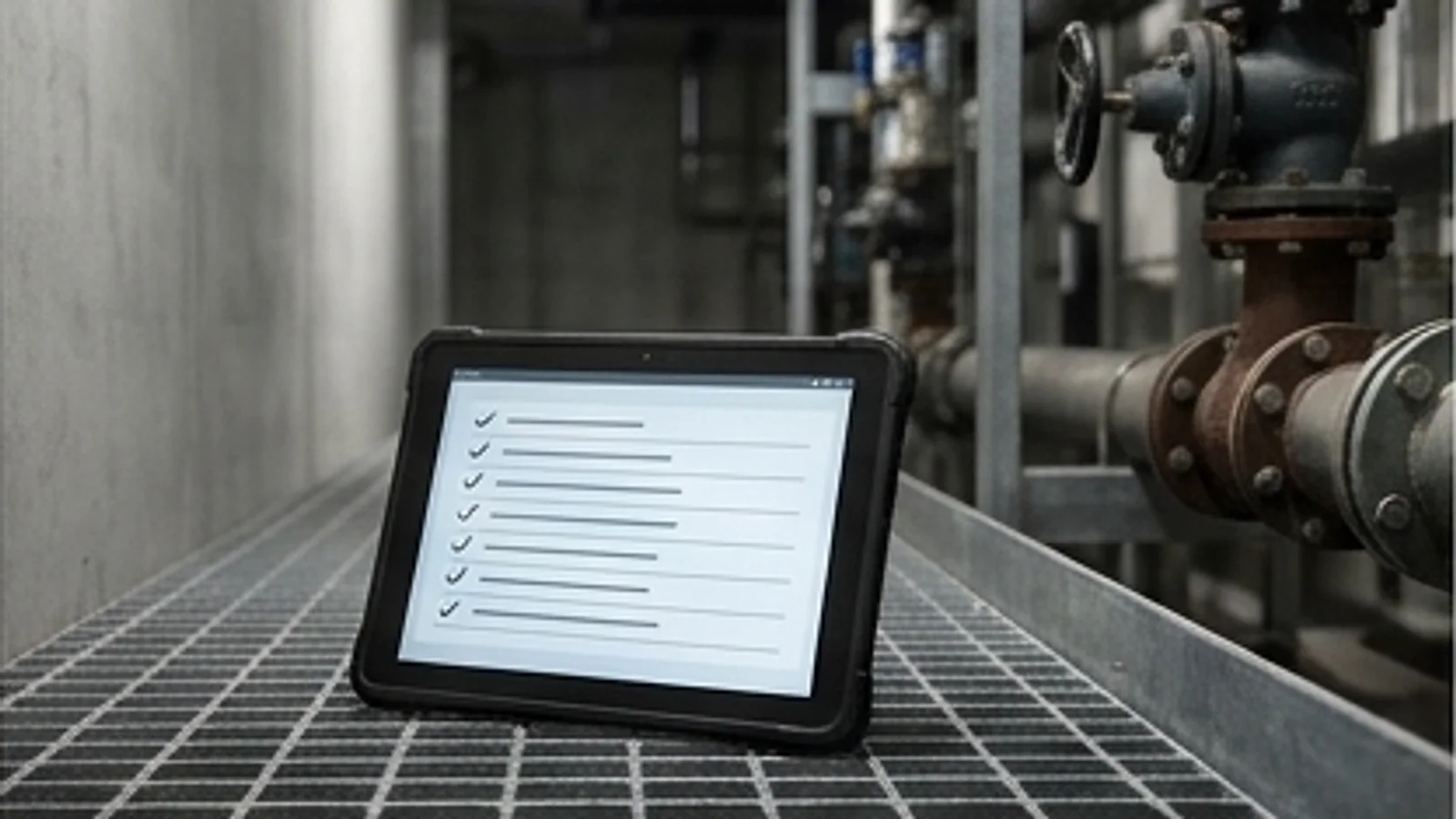
Plant rooms, basements, rooftops and remote sites are exactly where the signal drops. Agnotic Technologies builds offline inspection apps that let inspectors finish every checklist, photo and signature without a connection, then sync the record once, in full, with nothing lost or duplicated.
Trusted by global innovators











An offline inspection app is a mobile app that stores checklists, asset lists, photos and signatures on the device, so inspectors can complete a full inspection with no network connection. Agnotic Technologies builds them with a sync engine that uploads each record once when a connection returns and flags any conflict for a person to resolve.
Most inspection apps are online apps with a cache. That is not the same thing.
The app opens, but the checklist template or asset list was never downloaded, so the inspection cannot start.
Photos queue up, the upload times out halfway, and the inspector cannot tell which ones reached the server.
Inspectors fall back to paper or a chat group and retype everything at the office, often days later.
Two inspectors update the same asset on different devices, and the second sync silently overwrites the first.
A checklist changes at head office while devices are offline, and old and new answers are mixed in one report.
Records synced late carry the upload time, not the time of the inspection, so the audit trail is wrong.
Offline is designed in from the first screen, not added after the online version is finished.
Before a route starts, the app downloads the templates, assets, drawings and open findings for that route, and shows the inspector what is ready offline.
Inspections, photos and signatures sit in a local queue with their own IDs and leave it only when the server confirms receipt, so nothing is sent twice or lost.
When two records disagree, the app keeps both and asks a supervisor to decide, instead of letting the last sync overwrite the first.
The modules we build for inspection teams that work beyond the network.
Pass, fail and reading fields, required photos and conditional questions, all working with no connection.
Assets, locations, drawings and previous findings for the day's route stored on the device before the visit.
Images captured and annotated offline, compressed on the device and attached to the right checklist item.
Inspector and client signatures captured offline with the time and location they were given.
Scanning an asset tag opens its checklist, which proves the inspector was at the asset.
A local queue, server confirmation, retries on any connection and conflict flags for records edited on two devices.
Failed items become work orders in your CMMS or CAFM once the record syncs.
Inspections due, done and unsynced by site and inspector, with overdue items highlighted.
The record's path, from download before the visit to the report after it.
With a connection, the app pulls the route, templates, assets and open findings for the visit.
The inspector completes checklists, photos and signatures; everything is saved on the device as it is entered.
Finished records wait in an encrypted local queue, each with its own ID and template version.
On any connection, records and photos upload and leave the queue only after the server confirms them.
Conflicting edits are flagged to a supervisor, who decides which finding stands.
Failed items create work orders, and reports are generated from the synced record.
Chosen around the devices your inspectors carry and the systems that receive their findings.
The situations we test every offline inspection app against before it reaches a site. A basic app with a cache fails most of them.
| Situation | What goes wrong in a basic app | What we build |
|---|---|---|
| No signal when the inspection starts | Templates and asset lists load from the server, so nothing opens | Routes, templates, assets and previous findings downloaded before the visit and kept on the device |
| Signal drops during a photo upload | Half-sent photos, duplicates on retry, or records missing their images | Each record and photo queued with an ID, uploaded once and confirmed by the server before it leaves the queue |
| Two inspectors update the same asset offline | The last sync wins and the earlier finding is lost | Both versions kept and flagged as a conflict for a supervisor to merge |
| The checklist changes while devices are offline | Answers from two template versions are mixed in one report | Every record carries its template version, and new versions apply from the next inspection |
| The device is lost or the battery dies before sync | Unsynced inspections are gone | Encrypted local storage, sync whenever any connection appears, and a list of unsynced records per inspector |
| The device clock is wrong | Inspection times are recorded incorrectly | Device time and server time both stored, with the difference shown on the record |
Measures that show whether field data reaches the office complete and on time.
Records not yet confirmed by the server, by inspector and age.
How often two devices change the same asset, and how fast it is resolved.
Should fall to zero once the app is trusted offline.
From a failed item on site to a work order in the CMMS.
Places where the network is weakest and the inspection still has to happen.
Fire, life safety and mechanical checks below ground.
Remote assets with no mobile coverage at the turbine or array.
Plant, roof and riser inspections in concrete-shielded spaces.
Shift checklists and equipment rounds in areas with radio restrictions.
Inspectors moving between buildings with patchy coverage.
Monthly visual checks recorded at each unit.
Where routes and assets come from, and where findings go once they sync.
The field tests we run with your inspectors before the first site goes live.
We build secure, scalable products designed for privacy, interoperability, and regulatory readiness from day one across every sector we serve.

Implement lawful consent flows, data minimization, and secure processing for global data privacy.

Adhering to the international gold standard for managing information security risks.
We combine deep technical expertise with industry-specific knowledge to deliver solutions that aren't just functional, but transformational.
We implement rigorous security protocols and compliance standards (HIPAA, GDPR, SOC2) across all industrial solutions to protect sensitive data.
Our architectures are built to handle massive data loads and user bases, keeping performance steady whether you're serving ten or ten million.
Using our suite of internal tools and proven frameworks, we cut setup work so your first release reaches users sooner.
Beyond simple wrappers, we build deep-learning integrations and predictive analytics directly into the core of your industry-specific workflows.
Offline inspection app development starts with one inspection type and real sites. It depends on scope; we agree a fixed first release on the scoping call.
We review your inspection types, sites, devices and the systems that should receive findings.
We map where the signal drops and what each checklist needs offline.
One inspection type with offline checklists, photos, sync and work order output.
The rollout checklist above, run with your inspectors on real routes.
More inspection types, sites and integrations once the first one is trusted.
Inspection records that must be kept, and the platform features offline sync relies on.
OSHA requires portable fire extinguishers, or hose used in their place, to be visually inspected monthly.
Source: 29 CFR 1910.157(e)(2), OSHA (eCFR)OSHA requires an annual maintenance check of portable fire extinguishers, and the employer must record the annual maintenance date and keep that record for one year after the last entry or the life of the shell, whichever is less.
Source: 29 CFR 1910.157(e)(3), OSHA (eCFR)The W3C Service Workers specification defines a worker that can handle network requests through a fetch event and a request and response cache, which lets web apps keep working offline.
Source: W3C, Service WorkersAndroid's WorkManager stores scheduled work in an internal SQLite database so that the work persists and is rescheduled across app restarts and device reboots.
Source: Android Developers, Persistent workWe don't just build products; we forge lasting partnerships. See how we've helped industry leaders transform their vision into technical reality.
“I can clearly see how Agnotic has a unique way of handling end-to-end development. They are always active on quick chat and provide support quickly.”

Aaron Phelan
Founder, Benchmark
“Agnotic combines deep technical expertise with strong domain knowledge. They understand the business context, anticipate challenges, and make collaboration smooth and effective.”

John Pasmore
Founder, Latimer
This page covers inspection apps that work without a signal. These pages cover the apps and systems around them.
Audit checklists, scoring and corrective actions for field teams.
Safety walks and audits with hazard capture and follow-up.
Audit automation for wind and solar sites, often far from any signal.
Drone and camera image review that flags defects for a qualified reviewer.
Maintenance management, where failed inspection items become work orders.
When an off-the-shelf inspection tool fits, and when a custom build is worth it.
Showing 10 of 19 industries