

01
Recurrence check
Example: No repeat of the same defect code on the affected part during the agreed period
Approach: The software watches new NCRs for that defect code and part, and fails the check if one appears


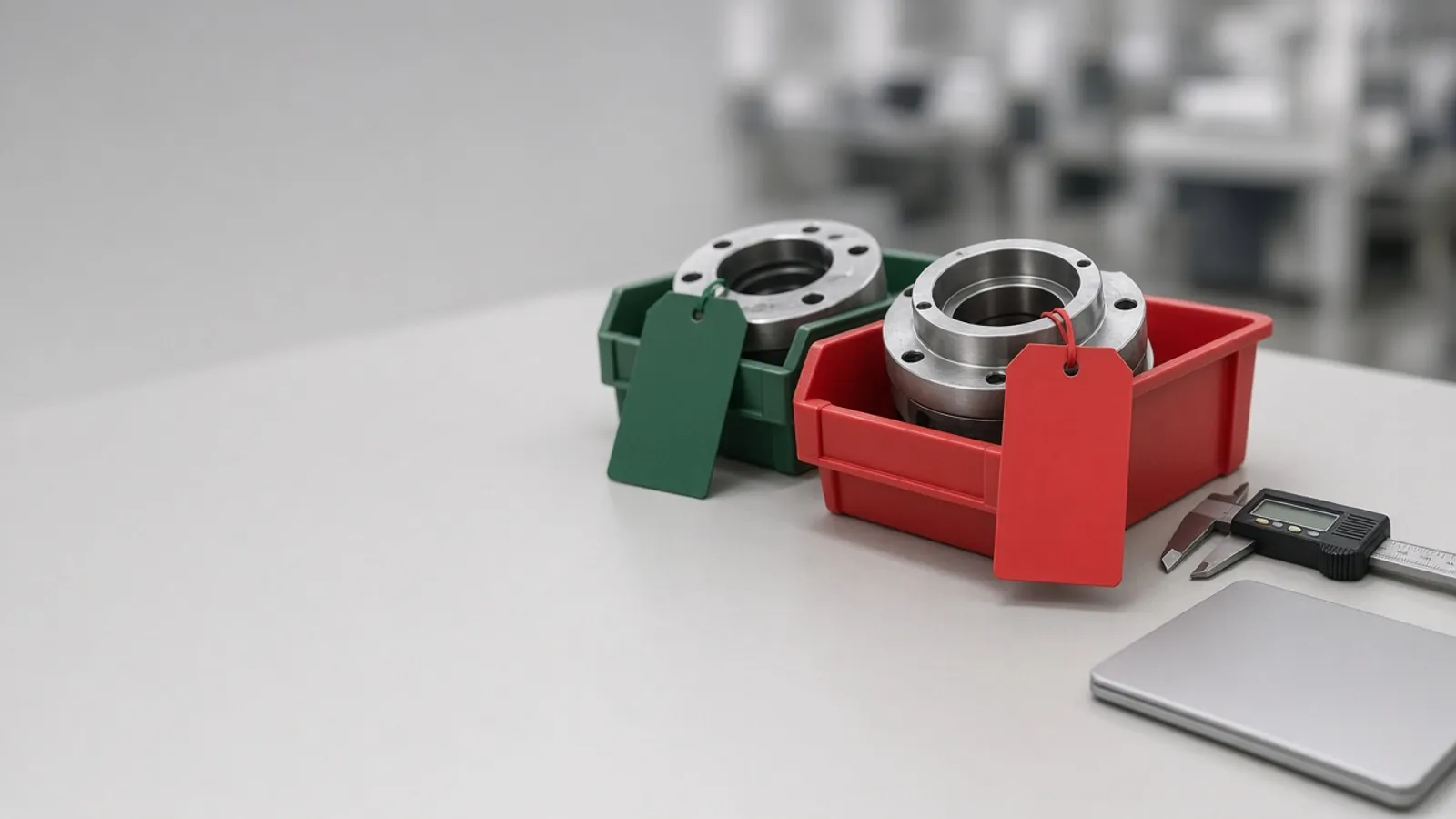
Nonconformances sit in one spreadsheet, corrective actions in another, and supplier 8D reports arrive as email attachments. Agnotic Technologies builds CAPA and NCR management software that links each nonconformance to its corrective action, tracks it to closure and proves the fix worked.
Trusted by global innovators

CAPA and NCR management software records every nonconformance, contains the affected product, links the nonconformance report (NCR) to a corrective and preventive action (CAPA), and tracks that action through root cause, fix and effectiveness check until a named owner closes it. Agnotic Technologies provides CAPA management software development around your own quality procedures, so NCRs, 8D reports, supplier corrective actions and verification evidence sit in one system instead of a shared Excel log. The software connects to your ERP, MES or QMS, keeps a time-stamped audit trail of every decision, and shows which actions are open, overdue or proven effective before an auditor asks.
An NCR says what went wrong with a part, lot or process. A CAPA says what the company will change so it does not happen again. The value is in the link between the two.
Corrective action flow
Give every corrective action its own record with an owner, a due date and a status that the software moves forward, instead of a spreadsheet row someone has to remember to update. Each step below is a state in that record, and late steps escalate on their own.
An NCR, customer complaint or audit finding opens a CAPA request that stays linked to its source record.
Immediate containment is recorded: stock quarantined, lots sorted or shipments held, with the quantities involved.
The team finds the root cause with 5 Whys, a fishbone diagram or an 8D, and attaches the evidence.
Corrective actions become tasks with owners and due dates, across departments and suppliers.
An effectiveness check is scheduled when the action is planned, with the measure and the pass rule written down.
A quality approver signs off, the record is locked and the trend reports update.
NCR fields
An NCR system should capture what failed, where it was found, how much product is affected and what was done with it, and every NCR should either link to a CAPA or record why no CAPA was opened. This is the field set we start from with your quality team.
| NCR field | What it records | How it links to CAPA |
|---|---|---|
| Source | Incoming inspection, in-process check, final inspection, customer complaint or audit | The CAPA inherits the source, so trends group by where problems are found |
| Part, lot and quantity | Part number and revision, lot or serial numbers, quantity affected | Containment and the effectiveness check use the same lot list |
| Requirement not met | The drawing, specification or procedure clause, with the measured value | Root cause analysis starts from the exact requirement |
| Evidence | Photos, measurements and inspection records | Attached once and visible inside the CAPA |
| Disposition | Use as is, rework, repair, scrap or return to supplier, with the approver | A disposition that needs approval is signed before material moves |
| Severity and recurrence | Severity rating and whether the same failure happened before | Repeat or high-severity NCRs open a CAPA automatically; others are grouped and trended |
| CAPA decision | The linked CAPA number, or the reason none was opened | Every NCR ends in an action or a recorded decision |
Fields, ratings and auto-open rules are agreed with your quality team. The rule that every NCR ends in a CAPA link or a recorded reason does not change.
8D reports
Yes. 8D report software can run the eight disciplines as one shared record, where your quality engineer and the supplier's team each fill in their own steps and see the same evidence. Agnotic Technologies builds it as a supplier portal on top of your CAPA records, so a supplier corrective action request (SCAR) becomes an 8D the supplier answers online instead of a spreadsheet sent by email.
Suppliers sign in with their own accounts, see only their own 8Ds and cannot change your containment or approval fields. Your engineer reviews each discipline and either accepts it or sends it back with comments.
Effectiveness checks
Define the effectiveness check when the action is planned, not when it is closed: a measure, a review period and a pass rule. The CAPA stays open until the software has the data that shows the failure did not come back. These are the four check types we build.
Example: No repeat of the same defect code on the affected part during the agreed period
Approach: The software watches new NCRs for that defect code and part, and fails the check if one appears
Example: Scrap or first-pass yield on the line after the fix
Approach: Results are pulled from MES or inspection records and compared with the baseline saved when the CAPA opened
Example: A changed procedure is followed on the floor
Approach: A scheduled audit question is tied to the CAPA and answered with evidence
Example: Incoming lots from the supplier pass inspection after their 8D
Approach: Incoming inspection results for that supplier and part feed the check
Failure points
Patterns we see in CAPA logs before they move into software, and what we build to stop each one.
Challenge
Every NCR opens a CAPA, so the list grows too long to work.
Agnotic approach
Rules decide which NCRs need a CAPA. The rest are grouped by defect and trended.
Challenge
Root cause says "operator error" and nothing changes.
Agnotic approach
Root cause needs a method and evidence, and a human error answer prompts the next why.
Challenge
Actions close when the task is done, not when the problem is gone.
Agnotic approach
Closure needs a passed effectiveness check, not only finished tasks.
Challenge
Supplier answers arrive as attachments nobody can search.
Agnotic approach
Supplier 8Ds are answered in the portal as structured fields.
Challenge
Due dates slip quietly.
Agnotic approach
Late steps escalate by rule to the owner's manager and the quality lead.
Modules that follow a problem from the first NCR to a closed, verified CAPA.
Phone or tablet capture at inspection with photos, part, lot and measured values.
Holds, sorting and disposition decisions recorded with quantities and approvers.
States, owners, due dates and escalation, set from your own procedure.
5 Whys, fishbone and 8D templates, plus AI that finds similar past NCRs for the engineer to review.
SCARs and 8Ds answered by suppliers online, with access limited to their own records.
Measures, review periods and pass rules that must be met before a CAPA closes.
NCRs and CAPAs by part, defect, supplier, line and age.
Links to ERP, MES and QMS, a time-stamped audit trail and electronic signatures where your rules need them.
FDA rules for drug, food and device makers that shape CAPA records, each linked to its primary source.
Under 21 CFR 211.192, any unexplained discrepancy, or the failure of a drug batch or its components to meet specifications, must be thoroughly investigated, the investigation must extend to other batches that may be associated with the failure, and a written record must include the conclusions and follow-up.
Source: 21 CFR 211.192 (eCFR)For food facilities, 21 CFR 117.150(a)(2) requires corrective action procedures that identify and correct the problem, reduce the likelihood that it will recur when necessary, evaluate all affected food for safety and keep affected food out of commerce unless the facility can ensure it is not adulterated or misbranded.
Source: 21 CFR 117.150(a) (eCFR)21 CFR 117.150(d) requires all corrective actions, and corrections when appropriate, to be documented in records, and those records are subject to verification and records review.
Source: 21 CFR 117.150(d) (eCFR)FDA's device quality management system regulation, 21 CFR 820.10, requires manufacturers to document a quality management system that complies with the applicable requirements of ISO 13485, which the regulation incorporates by reference.
Source: 21 CFR 820.10 (eCFR)Standards
Who it is for
Quality teams that need every problem traced from the first report to a proven fix.
NCRs from inspection and the line, with CAPAs for repeat and high-severity defects.
CAPA records that fit a quality system built on ISO 13485.
Investigations and corrective actions documented the way FDA rules describe.
Customer complaints and supplier 8Ds handled in one place.
Scope
We do not publish prices. These are the drivers we size on the scoping call.
Inspection, production, complaints, audits and suppliers: which are in the first release.
One plant or several, with a shared or separate procedure.
Whether suppliers answer 8Ds in the first release, and how many.
ERP, MES, QMS and inspection systems that send or receive records.
Whether electronic signature and validation rules apply to the software.
Existing NCR and CAPA logs to migrate from spreadsheets or an old system.
We start from your current procedure and one source of NCRs.
We review your CAPA procedure, the NCR log and where actions get stuck today.
ScopeA fixed-scope first release: NCR capture, the CAPA workflow and effectiveness checks for one source of nonconformances.
BuildThe supplier 8D portal, more NCR sources and the integrations, with support after launch.
Scale