

Challenge
A superseded copy stays in a binder at the station.
Agnotic approach
Stations show only the released revision, and release withdraws the old one everywhere at once.


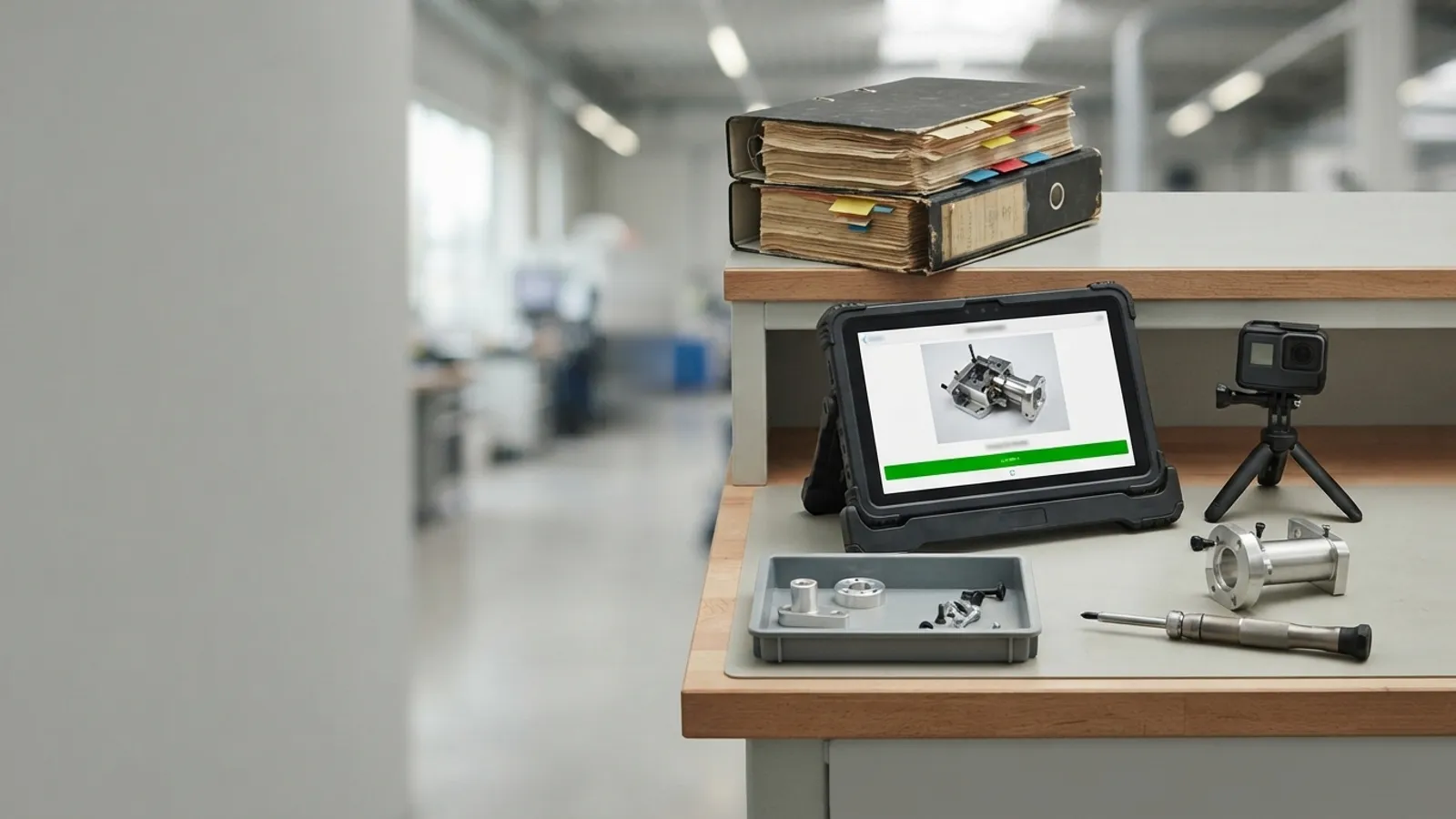
For operations and quality leaders still running the line from SOP binders. Agnotic Technologies builds digital work instructions software that puts the released revision of every step on the station screen and turns video of your best operators into drafts your engineers review.
Trusted by global innovators



From binder to station
Digital work instructions replace paper SOP binders when each procedure becomes a set of structured steps, with a photo, the tool, the setting and the check for every step, held in one controlled library and shown on a screen at the station. Digital work instructions software links each step to the part, operation and revision being built, so the operator opens the instruction for the order in front of them. Start with the procedures behind the most rework and questions, convert them station by station, and retire each binder once its station is live.
Agnotic Technologies builds this as custom manufacturing software for your plant, not as a subscription product, and connects it to the manufacturing execution system, ERP and quality systems you already run.
Operators always see the latest SOP revision when the station can show only released revisions, and releasing a new revision withdraws the old one at the same moment. The software ties each instruction to the part number, operation and revision, so the station opens the instruction that matches the order being built.
Changes go through the same approval route as your paper SOPs do today, but the route is enforced by the software instead of a sign-off sheet. Operators on the affected stations see what changed before they start, and their acknowledgement is recorded in your skills matrix. The company-wide procedures, policies and contractor packs behind those instructions follow the same review and acknowledgement rules in document control software.
Yes, as a draft. AI can turn a video of your most experienced operator into step-by-step instructions by transcribing what they say, splitting the recording into steps where the action changes, picking a still frame for each step and writing a short instruction under it.
A process engineer then checks every step against the drawing and the approved method, corrects what the model got wrong and releases it through normal revision control. The draft is never published to a station on its own.
Torque values, tolerances and safety steps come from the released drawing or specification, not from the video. The model marks any step where the recording and the specification do not match, so the engineer decides.
Failure points
Problems we see when work instructions live in binders, and what the software changes.
Challenge
A superseded copy stays in a binder at the station.
Agnotic approach
Stations show only the released revision, and release withdraws the old one everywhere at once.
Challenge
The photos in the SOP show an older version of the part.
Agnotic approach
Photos belong to a revision, so a new revision is reviewed with its images, not only its text.
Challenge
Steps are signed off at the end of the shift, not when done.
Agnotic approach
Each step is confirmed at the station when it is done, with the operator and time recorded.
Challenge
Operators keep handwritten notes that drift from the SOP.
Agnotic approach
Questions and suggestions are raised against the step and go to the process engineer.
Challenge
Nobody can tell who was trained on the last change.
Agnotic approach
Operators acknowledge each change before their next job, and the record goes to the skills matrix.
Challenge
The method lives only in one experienced operator's head.
Agnotic approach
Record the task on video and turn it into a reviewed draft before that knowledge leaves.
Architecture
The components of a custom build, what each one does and the technology we typically use. The exact stack follows your systems and hosting rules.
| Component | Purpose | Typical tech |
|---|---|---|
| Instruction authoring | Engineers write steps with photos, video clips, tools, settings and checks | Web editor with a structured step model, PostgreSQL, object storage for media |
| Revision control | Draft, review, approve and release each revision, and withdraw the old one | Approval workflow, role-based access, electronic signatures |
| Station viewer | Shows the released steps for the order, part and operation at that station | Web app on tablets or touchscreens, barcode or RFID scan, offline cache |
| Step records | Records who confirmed each step, when, and any value entered | Append-only event log with time-stamped audit trail |
| Video to draft | Turns a recorded task into draft steps with still frames for review | Speech-to-text, frame extraction, a language model, review queue |
| Integration layer | Pulls orders, parts and revisions in and sends completion data back | REST APIs, message queues, ERP and PLM connectors |
Hosting can be in your cloud account or on premises. Video and step records stay in storage you control.
Digital work instructions work best when they take orders and revisions from the systems that already own them.
Work orders, routings and operations, so each station opens the right instruction.
Part numbers, bills of materials and order quantities, such as from SAP or another ERP.
Released drawings and engineering changes that start a new instruction revision.
Approval routes, deviations and nonconformances raised from a step.
Who is qualified for each station and who has acknowledged each change.
Operator log-in with badges or your identity provider, so every record has a name.
Rollout
Five steps from the scoping call to binders off the line, one station group at a time.
We look at your SOP library, stations, systems and approval route, and agree on a first line.
We define what a step holds for your products: photos, tools, settings, checks and sign-offs.
SOPs for the first line are converted, by hand or from video drafts, and the MES or ERP link is built.
Operators run real orders on the screens while the binder stays as a fallback; feedback goes into the next revision.
Binders come off each station once it is live; more lines follow, with support from our team.
The size of a digital work instructions build follows the number of products, variants and stations, how many SOPs need converting, which systems it connects to and whether FDA electronic record rules apply to your records. We do not publish prices; the first release is scoped on the scoping call.
Most plants start with one line and one product family, a fixed-scope first release, then extend with a dedicated team. If the work instructions need an AI assistant that answers operator questions from your SOPs, we build that through manufacturing AI agent development.
Who it is for
Plants where the right step, at the right revision, decides quality and safety.
Mixed-model lines where each variant needs its own steps at the same station.
Written procedures that must be followed, documented at the time of performance and change-controlled.
Operator instructions and visual standards kept current at every station.
Lockout/tagout and changeover procedures shown step by step at the machine.
One instruction library with site-specific revisions, approved centrally.
US regulations that set how production procedures are written, changed, followed and recorded, each linked to the regulation text on eCFR.
For drug manufacturing, 21 CFR 211.100(a) requires written procedures for production and process control, and any change to them must be drafted, reviewed and approved by the appropriate organizational units and by the quality control unit.
Source: 21 CFR 211.100 (eCFR)21 CFR 211.100(b) requires written production and process control procedures to be followed and documented at the time of performance, and any deviation from them to be recorded and justified.
Source: 21 CFR 211.100(b) (eCFR)Under 21 CFR 11.10, closed electronic record systems need secure, computer-generated, time-stamped audit trails of operator entries, and record changes must not obscure previously recorded information.
Source: 21 CFR 11.10 (eCFR)21 CFR 820.10 requires a medical device manufacturer to document a quality management system that complies with the applicable requirements of ISO 13485, which the regulation incorporates by reference.
Source: 21 CFR 820.10 (eCFR)OSHA's lockout/tagout standard, 29 CFR 1910.147(c)(4)(i), requires procedures for the control of hazardous energy to be developed, documented and used when employees service or maintain machines.
Source: 29 CFR 1910.147 (eCFR)Standards